배치 수집 + 변동 감지
전체 흐름
API에서 전체 인원 목록 가져오기
        │
DB 현재 상태와 비교
        │
        ├─ DB에 없는 usId → JOIN (입사)
        ├─ API에 없는 usId → LEAVE (퇴사)
        └─ 값이 다른 필드 → DEPT_CHANGE / ROLE_CHANGE
        │
        ▼
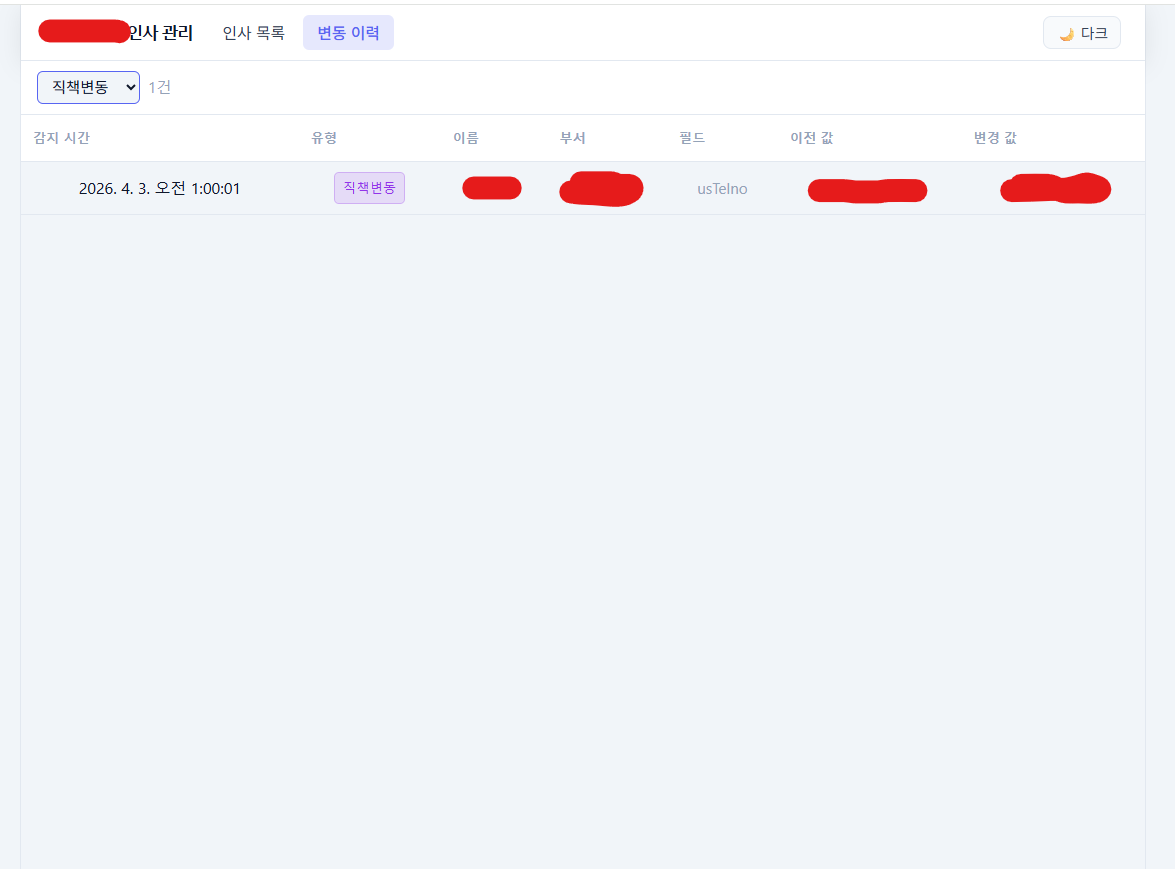
변동 건 → user_history 적재
현재 상태 → users 테이블 upsert
배치 구현
async function runBatch() {
  console.log(`[배치] 시작: ${new Date().toLocaleString('ko-KR')}`);

  // 1. API에서 전체 인원 가져오기
  const apiUsers = await fetchAllUsers();
  console.log(`[배치] API 응답: ${apiUsers.length}명`);

  // 2. DB 현재 상태 가져오기
  const dbUsers = await prisma.user.findMany();
  const dbMap = new Map(dbUsers.map(u => [u.usId, u]));
  const apiMap = new Map(apiUsers.map(u => [u.usId, u]));

  const historyRecords = [];

  // 3. 입사 감지 (API에 있고 DB에 없음)
  for (const [usId, apiUser] of apiMap) {
    if (!dbMap.has(usId)) {
      historyRecords.push({
        usId,
        changeType: 'JOIN',
        fieldName: null,
        oldValue: null,
        newValue: apiUser.usName,
      });
    }
  }

  // 4. 퇴사 감지 (DB에 있고 API에 없음)
  for (const [usId, dbUser] of dbMap) {
    if (!apiMap.has(usId)) {
      historyRecords.push({
        usId,
        changeType: 'LEAVE',
        fieldName: null,
        oldValue: dbUser.usName,
        newValue: null,
      });
    }
  }

  // 5. 변동 감지 (둘 다 있는데 값이 다름)
  const TRACKED_FIELDS = ['deptName', 'usRollName', 'usPosName'];

  for (const [usId, apiUser] of apiMap) {
    const dbUser = dbMap.get(usId);
    if (!dbUser) continue;

    for (const field of TRACKED_FIELDS) {
      const oldVal = dbUser[field] ?? null;
      const newVal = apiUser[field] ?? null;
      if (oldVal !== newVal) {
        historyRecords.push({
          usId,
          changeType: field === 'deptName' ? 'DEPT_CHANGE' : 'ROLE_CHANGE',
          fieldName: field,
          oldValue: oldVal,
          newValue: newVal,
        });
      }
    }
  }

  // 6. 이력 적재
  if (historyRecords.length > 0) {
    await prisma.userHistory.createMany({ data: historyRecords });
  }

  // 7. 현재 상태 upsert
  for (const user of apiUsers) {
    await prisma.user.upsert({
      where: { usId: user.usId },
      update: { ...user, updatedAt: new Date() },
      create: user,
    });
  }

  // 8. 퇴사자 DB에서 제거 (선택)
  const leaveIds = [...dbMap.keys()].filter(id => !apiMap.has(id));
  if (leaveIds.length > 0) {
    await prisma.user.deleteMany({ where: { usId: { in: leaveIds } } });
  }

  console.log(
    `[배치] 완료 — 입사 ${historyRecords.filter(h => h.changeType === 'JOIN').length}, ` +
    `퇴사 ${historyRecords.filter(h => h.changeType === 'LEAVE').length}, ` +
    `변동 ${historyRecords.filter(h => !['JOIN','LEAVE'].includes(h.changeType)).length}`
  );
}
배치 스케줄
// 매일 오전 1시 실행 (TZ=Asia/Seoul 필수)
cron.schedule('0 1 * * *', () => {
  runBatch().catch(err => console.error('[배치] 오류:', err));
});
최초 배포 시에는 배치가 돌 때까지 DB가 비어있다. 수동으로 한 번 실행해줘야 한다.
docker exec insa-server node -e "require('./src/batch').runBatch().catch(console.error)"
React + AG Grid UI
AG Grid 기본 세팅
AG Grid Community를 설치한다.
npm install ag-grid-community ag-grid-react
기본 사용법:
import { AgGridReact } from 'ag-grid-react';
import 'ag-grid-community/styles/ag-grid.css';
import 'ag-grid-community/styles/ag-theme-alpine.css';

function UserGrid() {
  const columnDefs = [
    { field: 'usName',     headerName: '이름',   width: 100 },
    { field: 'deptName',   headerName: '부서',   flex: 1 },
    { field: 'usRollName', headerName: '직책',   width: 100 },
    { field: 'usPosName',  headerName: '직위',   width: 100 },
    { field: 'usMail1',    headerName: '이메일', flex: 1 },
  ];

  return (
    <div className="ag-theme-alpine" style={{ height: 600 }}>
      <AgGridReact
        rowData={users}
        columnDefs={columnDefs}
        pagination={true}
        paginationPageSize={50}
      />
    </div>
  );
}
AG Grid v33 테마 충돌
AG Grid를 설치하고 실행하면 아래 경고가 뜨면서 스타일이 깨진다.
AG Grid: As of v33, the grid uses a new Theming API by default.
CSS file imports (ag-theme-alpine.css etc.) are not compatible...
v33부터 Theming API 방식이 기본으로 바뀌었는데, 기존 CSS 파일 import 방식과 충돌한다.
해결: theme="legacy" prop을 추가하면 기존 방식으로 동작한다.
<AgGridReact
  theme="legacy"        // ← 이거 추가
  rowData={users}
  columnDefs={columnDefs}
  pagination={true}
  paginationPageSize={50}
/>
필터링
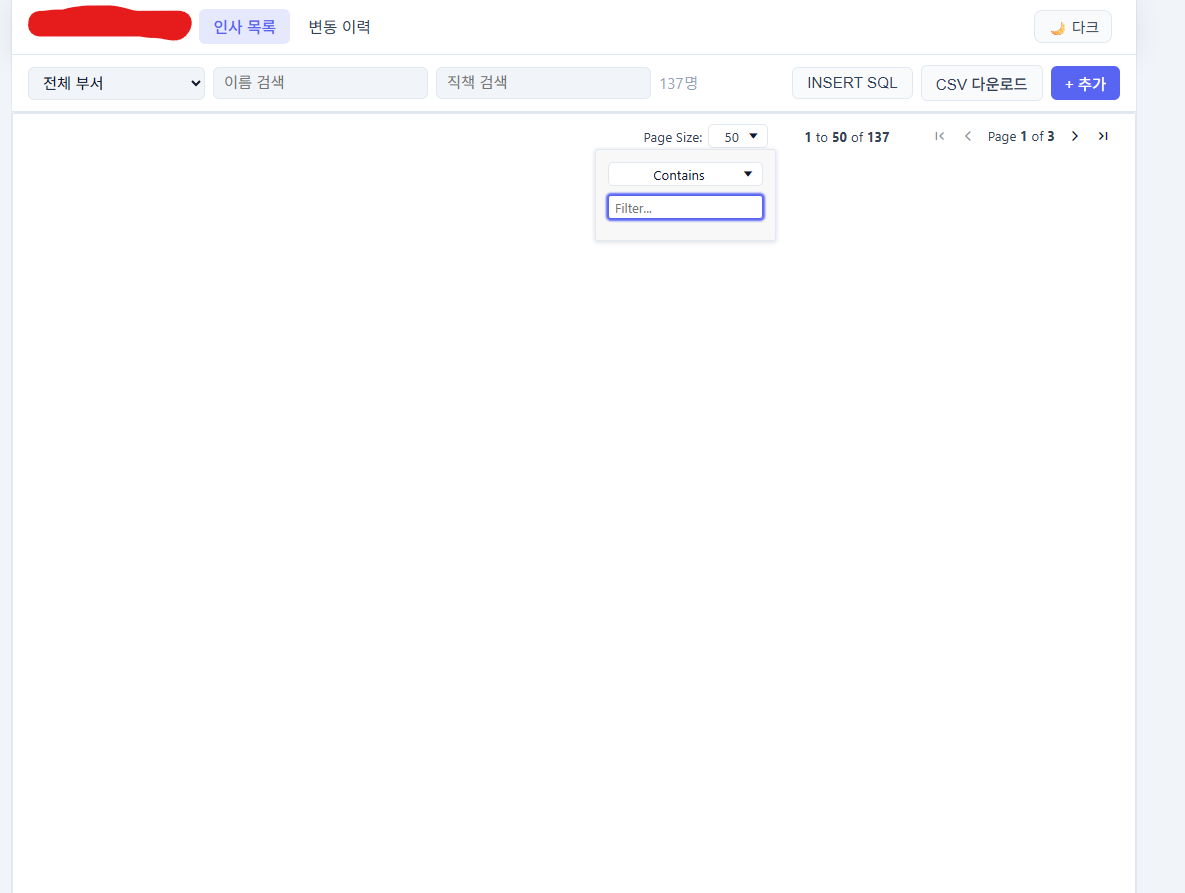
상단에 부서/이름/직책 필터를 두고, 조합 필터링이 되도록 구현했다.
const [filters, setFilters] = useState({ dept: '', name: '', role: '' });

const filtered = useMemo(() => {
  return users.filter(u =>
    (!filters.dept || u.deptName?.includes(filters.dept)) &&
    (!filters.name || u.usName?.includes(filters.name)) &&
    (!filters.role || u.usRollName?.includes(filters.role))
  );
}, [users, filters]);
TanStack Query로 서버 상태 관리
TanStack Query를 쓰면 로딩/에러/캐싱/리페치를 직접 관리하지 않아도 된다.
npm install @tanstack/react-query
인사 목록 조회
// api.js
export const fetchUsers = (params) =>
  fetch(`/api/users?${new URLSearchParams(params)}`).then(r => r.json());
// UserGrid.jsx
const { data: users = [], isLoading, isError } = useQuery({
  queryKey: ['users', filters],
  queryFn: () => fetchUsers(filters),
  staleTime: 1000 * 60 * 5,  // 5분간 캐시 유지
});

if (isLoading) return <div>로딩 중...</div>;
if (isError)   return <div>데이터를 불러올 수 없습니다.</div>;
수정 뮤테이션
const queryClient = useQueryClient();

const updateMutation = useMutation({
  mutationFn: ({ usId, data }) =>
    fetch(`/api/users/${usId}`, {
      method: 'PUT',
      headers: { 'Content-Type': 'application/json' },
      body: JSON.stringify(data),
    }).then(r => r.json()),

  onSuccess: () => {
    // 수정 후 목록 자동 갱신
    queryClient.invalidateQueries({ queryKey: ['users'] });
  },
});
invalidateQueries로 수정 완료 후 목록을 자동으로 다시 가져온다. 상태를 직접 업데이트할 필요가 없다.
CSV 다운로드
function downloadCsv(rows, filename) {
  const headers = ['이름', '부서', '직책', '직위', '이메일', '휴대폰', '내선번호'];
  const fields  = ['usName', 'deptName', 'usRollName', 'usPosName', 'usMail1', 'usCellno', 'usTelno'];

  const csv = [
    headers.join(','),
    ...rows.map(row =>
      fields.map(f => `"${(row[f] ?? '').replace(/"/g, '""')}"`).join(',')
    ),
  ].join('\n');

  const blob = new Blob(['\uFEFF' + csv], { type: 'text/csv;charset=utf-8' });
  const url = URL.createObjectURL(blob);
  const a = document.createElement('a');
  a.href = url;
  a.download = filename;
  a.click();
  URL.revokeObjectURL(url);
}
'\uFEFF' (BOM)을 앞에 붙여야 Excel에서 한글이 깨지지 않는다.
INSERT SQL 생성
현재 필터 조건에 해당하는 인원의 INSERT SQL을 생성해서 클립보드로 복사하는 기능이다. 다른 DB에 동일한 데이터를 넣어야 할 때 편하다.
// 서버: INSERT SQL 생성 API
app.post('/api/users/sql/insert', async (req, res) => {
  const { dept, name, role } = req.body;

  const users = await prisma.user.findMany({
    where: {
      deptName:   dept ? { contains: dept } : undefined,
      usName:     name ? { contains: name } : undefined,
      usRollName: role ? { contains: role } : undefined,
    },
  });

  const values = users.map(u =>
    `  ('${u.usId}', '${u.usName}', ${nullable(u.deptId)}, ${nullable(u.deptName)}, ` +
    `${nullable(u.usRollName)}, ${nullable(u.usPosName)}, ${nullable(u.usMail1)}, ` +
    `${nullable(u.usCellno)}, ${nullable(u.usTelno)})`
  ).join(',\n');

  const sql = `INSERT INTO users (us_id, us_name, dept_id, dept_name, us_roll_name, us_pos_name, us_mail1, us_cellno, us_telno)\nVALUES\n${values}\nON CONFLICT (us_id) DO UPDATE SET\n  us_name = EXCLUDED.us_name,\n  dept_name = EXCLUDED.dept_name,\n  us_roll_name = EXCLUDED.us_roll_name;`;

  res.json({ sql });
});

const nullable = v => v ? `'${v.replace(/'/g, "''")}'` : 'NULL';
// 클라이언트: 클립보드 복사
const { data } = useMutation({
  mutationFn: () => fetch('/api/users/sql/insert', {
    method: 'POST',
    headers: { 'Content-Type': 'application/json' },
    body: JSON.stringify(filters),
  }).then(r => r.json()),
  onSuccess: ({ sql }) => {
    navigator.clipboard.writeText(sql);
    alert('SQL이 클립보드에 복사됐습니다.');
  },
});
다크/라이트 테마
CSS 변수 기반으로 구현했다. localStorage에 저장해서 새로고침 후에도 유지된다.
/* App.css */
:root {
  --bg: #ffffff;
  --surface: #f8f9fa;
  --text: #1a1a1a;
  --border: #e0e0e0;
}

[data-theme="dark"] {
  --bg: #1a1a1a;
  --surface: #242424;
  --text: #e0e0e0;
  --border: #3a3a3a;
}

body {
  background: var(--bg);
  color: var(--text);
}
// App.jsx
const [theme, setTheme] = useState(
  () => localStorage.getItem('theme') || 'light'
);

useEffect(() => {
  document.documentElement.setAttribute('data-theme', theme);
  localStorage.setItem('theme', theme);
}, [theme]);

const toggleTheme = () =>
  setTheme(t => t === 'light' ? 'dark' : 'light');
다음 편에서는 Docker Compose로 db → server → client 시작 순서를 보장하는 방법과 운영하면서 겪은 트러블슈팅을 다룬다.